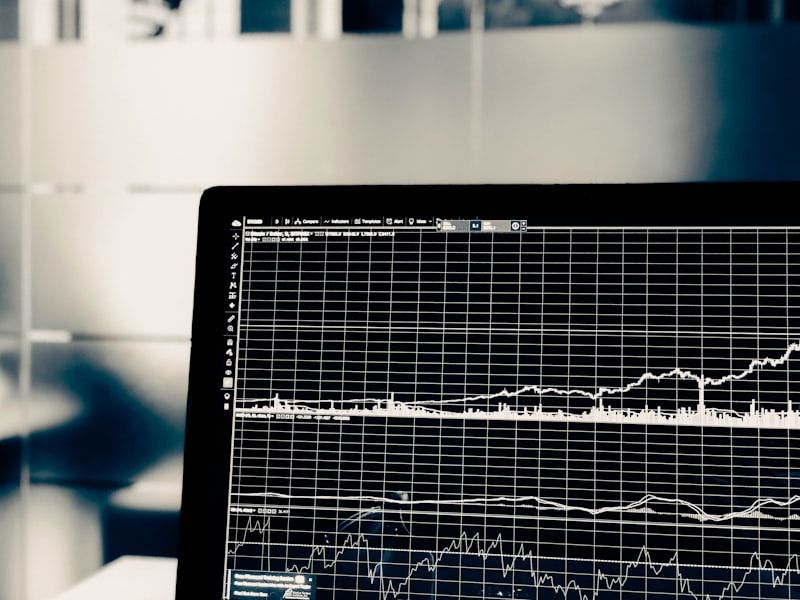
In the fast-paced world of day trading, catching a trend reversal at the exact moment of exhaustion is the holy grail. Enter too early, and you get run over by a runaway market; enter too late, and you miss the meat of the move.
To solve this, professional traders rely on momentum oscillators. However, constantly switching between Stochastics, RSI, and CCI can clutter your screens and lead to analysis paralysis.
That is why we developed the Overbought-Oversold Suite (OBOS)—a consolidated, institutional-grade day trading power tool for NinjaTrader 8. By aggregating the world's top overbought/oversold indicators into one clean, actionable interface, the OBOS Suite takes the guesswork out of reversals.
Here is a comprehensive look at how the OBOS Suite works, its core features, and how you can implement it into your daily trading routine.
---
What is the Overbought-Oversold Suite (OBOS)?
At its core, Overbought (OB) refers to a market condition where buying pressure has unjustifiably pushed prices to extreme upper bounds, leaving the asset ripe for a pullback. Conversely, Oversold (OS) conditions occur when panic selling drives prices down to extreme lower bounds, setting the stage for a bullish bounce.
The OBOS Suite for NinjaTrader 8 is not just a single indicator. It is an all-in-one suite that allows you to toggle and customize the calculations of the market's most reliable momentum oscillators, including:
- Stochastics & StochasticsFast
* Relative Strength Index (RSI)
* Money Flow Index (MFI)
* Commodity Channel Index (CCI)
* Williams %R
* Average Directional Index (ADX)
Instead of running six different indicators on your charts, the OBOS Suite integrates them into a single, high-performance sub-panel and links directly to NinjaTrader’s Market Analyzer for multi-instrument scanning.
---
Key Visual Features: Designing Your "Heads-Up Display"
A key benefit of the OBOS Suite is its highly customizable visual engine. It translates complex mathematical data into instant, intuitive visual cues on your price chart and sub-panels.
1. Dynamic Background Coloring
The sub-panel background dynamically alters its color based on the current market state:
* Cyan Zone: Indicates the oscillator has dipped into oversold territory (e.g., below 20). Get ready for a potential long setup.
* Pale Fuchsia/Magenta Zone: Indicates the oscillator has pushed into overbought territory (e.g., above 80). Get ready for a potential short setup.
* Neutral (Black/Dark Space): Confirms the market is in a healthy, active trend and has not yet reached exhaustion.
2. Multi-Mode Chart Signals
The OBOS Suite doesn't force you to stare at a sub-panel. It projects signals directly onto your price action using three primary display modes:
* Display Bar Outline: Paints the actual outline of the price candle in user-defined colors when an OB or OS state is achieved.
* Display Draw Objects Only: Perfect for traders who already use custom bar-coloring systems. This displays arrows, triangles, dots, or squares above/below the price candle, preventing chart clutter.
* Custom Wingdings Integration: For ultimate customization, you can choose any character set (like Wingdings) and input its character code (e.g., entering "ac" for a custom star) directly into the `TextChar` settings.
Pro Tip: If your charts are crowded, use the PriceDisplacement parameter in the OBOS settings. This allows you to shift the draw objects further above or below the candles, keeping your immediate price action completely clean and legible.
---
2 High-Probability Strategies Using the OBOS Suite
To get the most out of the OBOS Suite, you need a structured ruleset. Here are two strategies used by professional NinjaTrader day traders:
Strategy 1: Dual Time Frame Momentum Confirmation
One of the most effective ways to trade with the OBOS Suite is to look at momentum across two different timeframes to filter out noise.
- Identify the Anchor Trend: Open a higher-timeframe chart (e.g., a 15-minute or 60-minute chart) to determine the macro trend direction.
2. Wait for the Pullback: On your lower-timeframe execution chart (e.g., a 2-minute or 233-tick chart), wait for the OBOS Suite to signal an extreme condition *against* the macro trend.
* *Example:* If the 60-minute trend is bullish, wait for the 2-minute OBOS to print a Cyan (Oversold) signal.
3. The Trigger: Enter long the moment the OBOS oscillator hooks back out of the oversold zone, confirming that momentum is aligning with the macro trend once again.
Strategy 2: The Multi-Oscillator Confluence Check
Different market environments favor different oscillators. Strong, trending markets favor the CCI or ADX, while range-bound, sideways markets favor Stochastics or Williams %R.
By using the OBOS Suite, you can run multiple instances in your NinjaTrader Market Analyzer:
* Set Column 1 to Stochastics (80/20 levels).
* Set Column 2 to RSI (70/30 levels).
* Set Column 3 to CCI (+100/-100 levels).
When all three columns concurrently light up green (Oversold) or red (Overbought), you have a high-probability confluence zone. This structural alignment heavily reduces false breakouts.
---
Setting Up the OBOS Suite in NinjaTrader 8
Configuring the suite is straightforward. Once installed:
- Right-click your NinjaTrader 8 chart and select Indicators.
2. Select OBOS from your list of available indicators.
3. Under the Parameters category, select your preferred oscillator type (e.g., *Stochastics*).
4. Adjust your Overbought (default 80) and Oversold (default 20) thresholds.
5. Under DisplayMode, choose whether you want bar outlines, standard draw shapes, or custom text characters.
6. Click Apply and OK.
---
Take Control of Market Exhaustion Today
In day trading, timing is everything. Stop guessing where a move ends and start trading with structural mathematical backing. Whether you are a momentum scalper, a swing trader, or a dual-timeframe trend follower, the OBOS Suite provides the visual clarity and quantitative accuracy you need to succeed.
Unlock the power of aggregated momentum indicators. Download the Overbought-Oversold Suite (OBOS) for NinjaTrader 8 today and start catching high-probability reversals with absolute confidence!