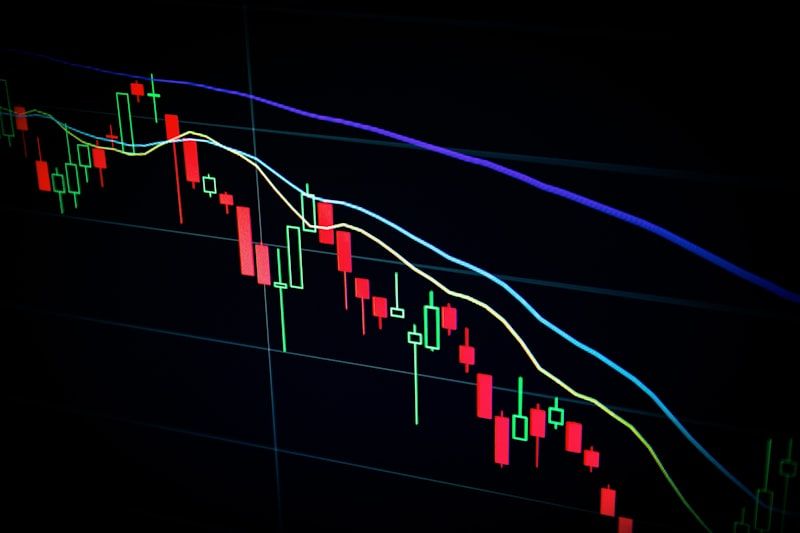
In the world of active trading, cognitive capital is just as important as financial capital. Yet, many traders spend hours staring at static screens, suffering from "analysis paralysis" and screen fatigue while waiting for a price action setup to mature. By the time the market actually reaches a key support, resistance, or diagonal trendline, mental exhaustion often leads to hesitation or missed executions.
At Indicator Warehouse, we realized that the problem wasn't price action itself—it was how traders interact with it.
We didn't make Price Action lines... we made them better!
With the Alert on Trend Line, Price, and Volume Level Hit indicator for NinjaTrader 8, you can bridge the gap between active analysis and automated alerts. This powerful tool allows you to draw your structural levels and walk away, secure in the knowledge that the platform will notify you the exact moment the market demands your attention.
---
Why Standard Drawing Tools Fall Short
Most default drawing tools in modern trading platforms are purely visual. They show you where a level is, but they do nothing to actively alert you when that level is being tested. If you step away from your desk or focus on a different instrument, you risk missing critical entry signals.
Furthermore, price action is rarely just about horizontal support and resistance. True market structure is dynamic. It involves:
* Slopped Trendlines: Capturing the true angle of bullish or bearish momentum.
* Key Price Levels: Historical horizontal zones where supply and demand shift.
* Volume Levels: Points of high-volume participation where institutions defend their positions.
The Alert on Trend Line, Price, and Volume Level Hit indicator integrates all three elements into a seamless, high-performance tool built specifically for the NinjaTrader 8 platform.
---
Key Features of the Indicator
This isn't just an alert system; it's a complete workflow optimization tool designed to clean up your workspace and keep you informed.
1. Dynamic Trend Line Alerting
Drawing diagonal trendlines is a cornerstone of classical technical analysis. Whether you are trading channel breakouts, flags, or wedges, timing is everything. This indicator allows you to quickly draw custom trendlines on your chart and automatically configures an alert when price crosses or touches that line.
2. Precise Price Level Tracking
Horizontal support and resistance levels can be labeled directly on your chart. When price hits these predefined key levels, the indicator instantly triggers your chosen alert parameters.
3. Volume Level Hit Notifications
Volume is the fuel of the market. By establishing alerts on specific volume-by-price levels or high-volume nodes, you can detect institutional absorption or breakout confirmation in real-time.
4. Custom WAV and Email Alerts
You don't need to be glued to your desktop. You can set custom WAV sound files to play through your computer speakers, or configure outgoing email alerts to send notifications straight to your smartphone.
5. On-Chart Text Labels
Keep your charts organized. Add customized text labels directly to your drawn lines so you immediately know the context of an alert when it triggers (e.g., "Daily Resistance Breakout" or "60-Min Volume Node").
---
Practical Trading Strategies: Putting Alerts to Work
How do professional quant analysts and systematic traders integrate these alerts into their daily workflows? Here are two highly effective approaches:
Strategy A: The High-Volume Trendline Breakout
Many breakout traders fail because they enter on low volume, resulting in a "bull trap" or "bear trap."
- Draw your descending resistance trendline on a 15-minute chart using the indicator.
2. Set a custom alert on that trendline.
3. Identify the nearest high-volume node (HVN) just above the trendline and set a price/volume alert there.
4. When the trendline alert triggers, you are alerted to watch the chart. If the price immediately triggers the volume level alert, you have institutional confirmation to enter a long position.
Strategy B: The S&R Zone Reversal
If you prefer mean-reversion trading, you can map out key historical support and resistance zones.
- Mark key daily support zones on your chart.
2. Configure a specific WAV alert file (for example, a distinct "gong" sound) for these major levels.
3. When the alert sounds, check for candle rejection patterns (such as pin bars or engulfing candles) to execute a low-risk, high-reward counter-trend trade.
Pro Tip: Assign different audio WAV files to different types of alerts. Use a sharp, high-frequency sound for quick scalping trendlines, and a deep, resonant sound for major daily support and resistance hits. This allows you to immediately gauge the importance of a market move without even looking at your monitor.
---
Elevate Your NinjaTrader 8 Experience Today
Trading shouldn't feel like a test of endurance. By automating your market-structure alerts, you can protect your mental capital, reduce screen fatigue, and ensure you never miss an institutional-grade breakout or reversal again.
Take control of your execution and upgrade your charting software today.
Click here to get the "Alert on Trend Line, Price, and Volume Level Hit" indicator for NinjaTrader 8 now and experience price action trading the way it was meant to be.